Contextual advertising in Baidu
Despite the fact that the web in China is eking out its existence, its final demise is still far away and such a promotion tool as contextual advertising should not be neglected. In this article, I will talk about setting up and starting product promotion using contextual advertising in the main Chinese search engine, which accounts for the lion’s share of the market – Baidu.
I will dwell only on the specifics of the Chinese market itself, since otherwise contextual advertising is the same all over the world.
Accordingly, there are two resources which you will need –百度统计 (statistics) and 百度推广 (creating advertising campaigns, selecting keywords, and so on). Baidu has a single account for all services, so if you already have a basic user account (phone number), you simple go to any of the above services and fill in the advertiser information.
Due to the current policy of 实名制 (policy of the real name), the account must be validated by providing the relevant documents, which is an identity card for an individual, while for a corporate account it is the company’s business license and a power of attorney from it to open the account on its behalf. Having opened an account, you replenish it and move on to the settings.
The first difference between the Chinese market and the Western market is that in order to complete the registration and start the advertising campaign proper, for final verification, you must provide an existing site that has already passed the procedure of obtaining a license.
The next steps are not too different from typical contextual advertising. Naturally, the first and most important thing is to select keywords and check their effectiveness, the number of requests per month, competitiveness and other parameters.
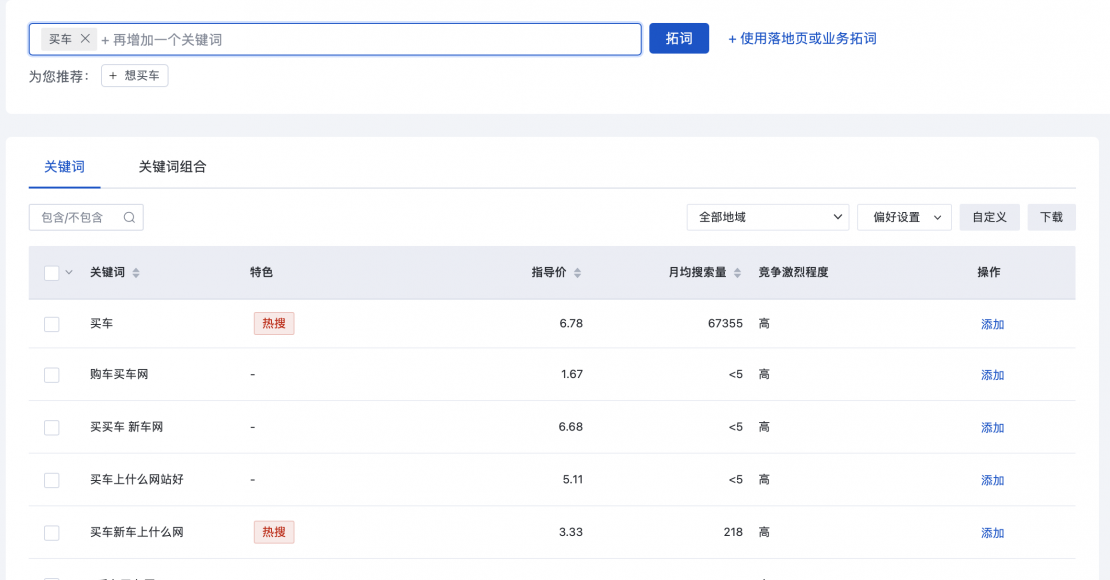
As you can see, the query “buy a car”, for example, is quite popular, about 70 thousand people search for it per month. This very example reveals the state of the Chinese web and Baidu in particular – 70 thousand requests for a country of one and a half billion people is a drop in the ocean. In Wechat, for instance, the same query and its index (this is the number of queries that did not fully coincide with this one but were fairly close to it) are searched by more than 40 million people per day (not per month).
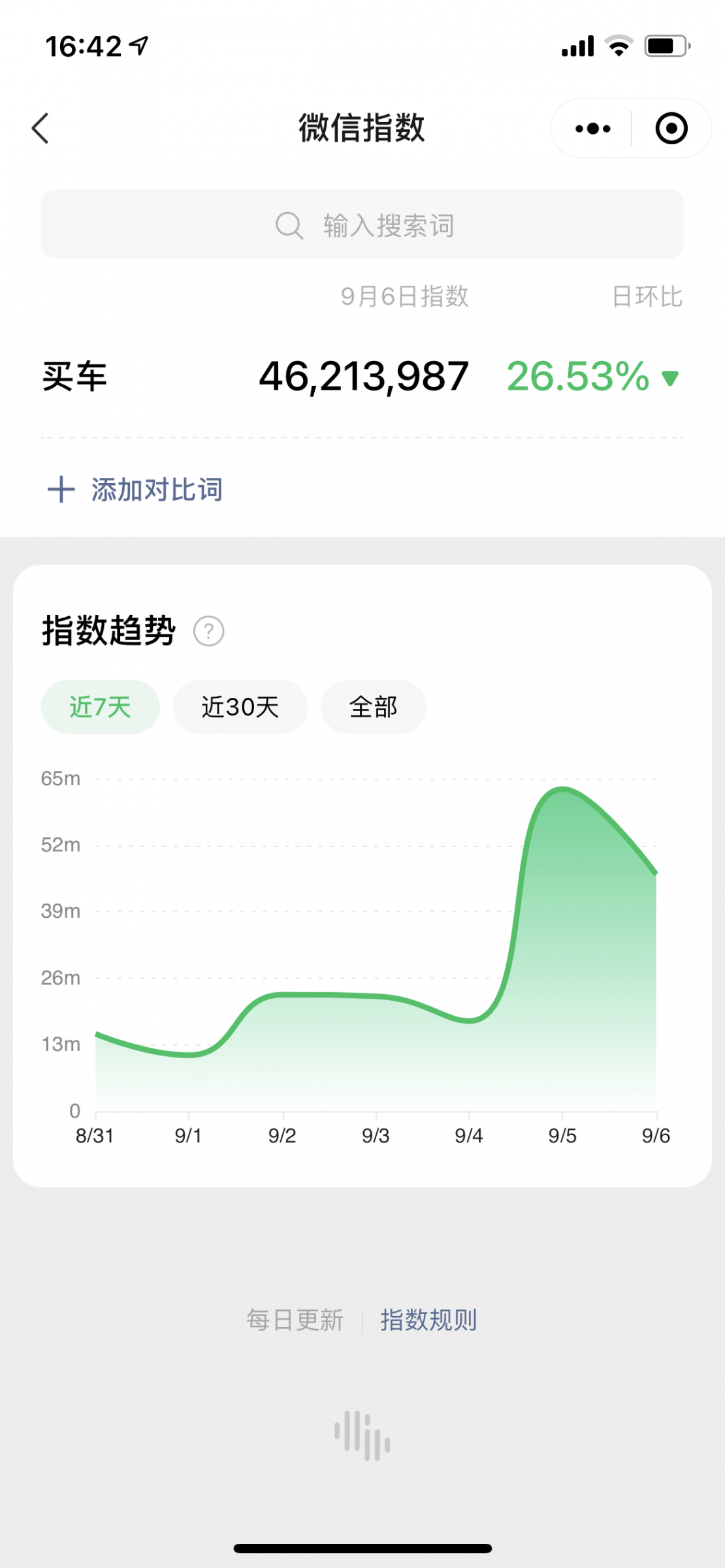
As you can see, the number of requests in Wechat fluctuates (using the same example of "buy a car") – from 13 million per day on August 31 to 46 million per day on September 5, which again is followed by a drop. But Baidu is still a far cry from these numbers. But this is not the topic discussed in this article.
Having selected the keywords, you create an advertising campaign, check the competitiveness of each query, set a price for appearance if necessary and so on – just like in Adwords and other similar services. Still, afterwards, when you embark on actually launching the campaign, the second feature of the Chinese market comes into play – you cannot advertise your website directly. Or rather, it is possible, but with formidable restrictions and it is not available from the start.
Instead, Baidu offers the so-called 基木鱼网站. This is something like a website builder, on which you need to assemble your own landing page from ready-made elements.
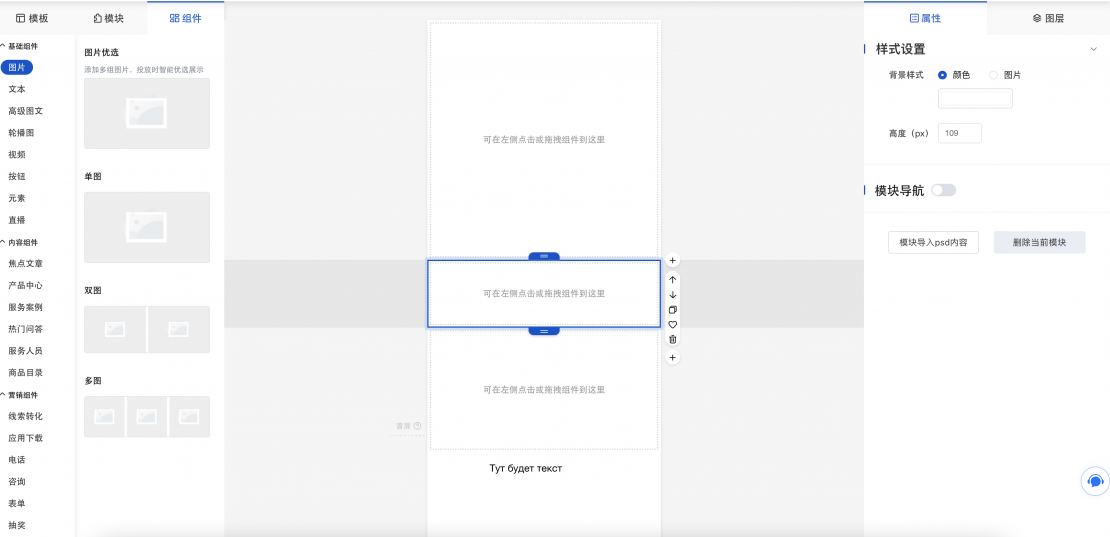
After selecting the necessary elements (pictures, text, various plugins, links, etc.), you send it for review and it is only then that you can complete the creation of an advertising campaign by selecting one of the created and approved landing pages.
Here is an example of what it looks like – an automaker XPeng with its look-alike website. When searching for 小鹏 in Baidu we see search results, where it is indicated under text that this website belongs directly to this company.
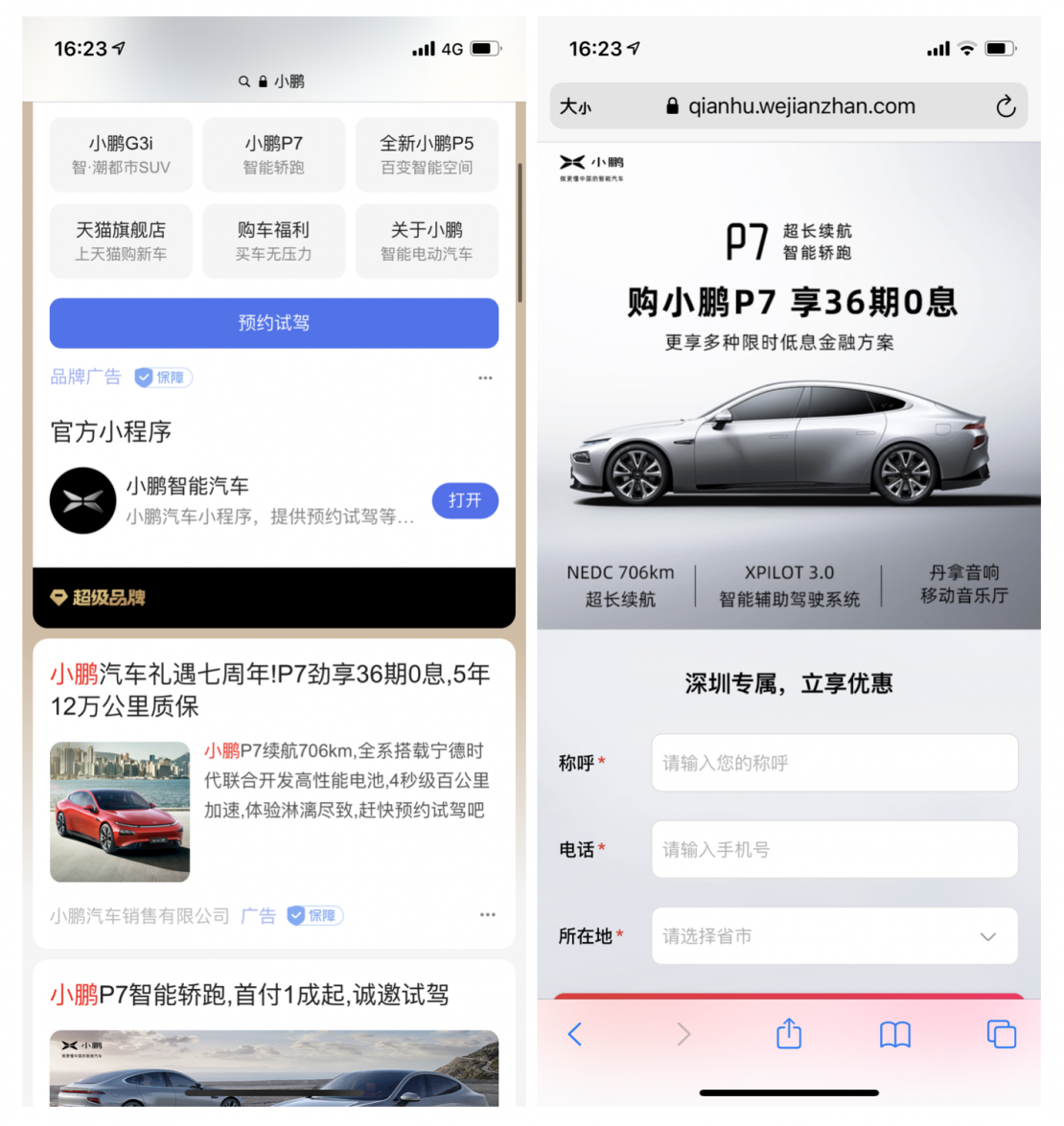
However, clicking on the link opens a link in the qianhu.wejianzhan.com/ format. This is the landing page created in the Baidu builder.
The keywords in each ad campaign must also be pre-approved. Of course, this does not apply to already existing and automatically suggested similar options, but if you want to add your own keyword, you will have to wait until it is approved / rejected.
This is where the discrepancies end. Further interface is no different from AdWords – looking up the number of views and clicks for each keyword, turning off unnecessary ones and adding new ones, setting the cost per click for each individual keyword, and so on.
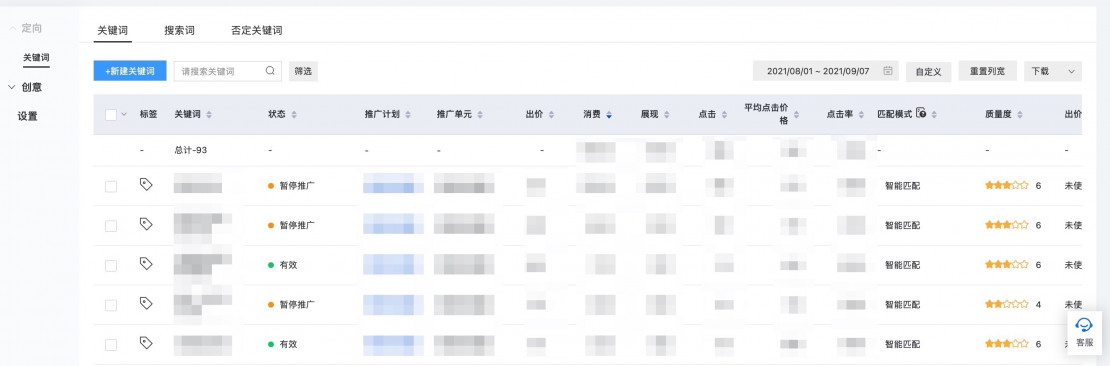
As well as directly monitoring the number of organic clicks from search results, the number of clicks from other search engines, traffic sources, creating your UTM tags and a lot more other things.