Setting up Wechat for your company
The importance of Wechat in modern China can hardly be overestimated. More than one billion users, a huge number of tools for all occasions, and so on and so forth. Undoubtedly, any company that is going to do business in China needs to set up its Wechat services. Their variety and customization will be discussed in this article.
Since Wechat indeed provides a lot of opportunities, let’s first consider each of them separately – what it is. Please make yourself comfortable – the article will be very long.
Public account or 公众号.
A cross between a company’s website, its news feed, and a tool for interacting with subscribers. For example, the public account of Beijing Waterworks Group.

News about their work is published in the feed, and interaction with users is implemented in the menu below – you can check the balance of your meters, pay for water and report a breakdown/water shortage. All these links lead to a mini-apps – they will be discussed a little later.
In fact, a public account is a means of communicating with users and delivering information to them, as well as a means of receiving feedback. It is also a very convenient landing tool – a user can subscribe to an interesting account in one click.
There are two types of public accounts:
subscription account, aka 订阅号
service account, aka 服务号
The main difference is in the usage scenarios. In a subscription account, you can send bulk mail once a day, while in a service account – four times a month. However, in a service account, you can enable high-level user interaction interfaces (OAuth, technical support interface, Wechat payments, etc.), whereas only basic ones are available for the subscription account, and, moreover, without the ability to connect payments. A subscription account can be registered both for a legal entity and for an individual, while a service account – only for a legal entity.
The third type is corporate Wechat (aka 企业微信). Although it is available at registration, it is in fact not a public account, but rather something like a task management system, internal enterprise chat like Slack, etc.
Naturally, you can manage users, assign tags to them, pull up their client statuses from the widget, arrange targeted mailings only to certain groups, and so on and so forth.
The menu at the bottom of the public account is also easily customizable to the needs of the developer – you can attach your own action to each button, make a submenu, and so on.

In fact, this is a pretty strong alternative to a website, as a user can interact with the service without leaving their favourite Wechat.
Mini-app or 小程序.
This is also a cross between a full-fledged application and a web page. This is an application running within Wechat itself, using the whole range of its tools, which loads all the data in the form of web pages from the specified sources. For example – 深圳通+ application (transport card of Shenzhen). The interface looks like this.
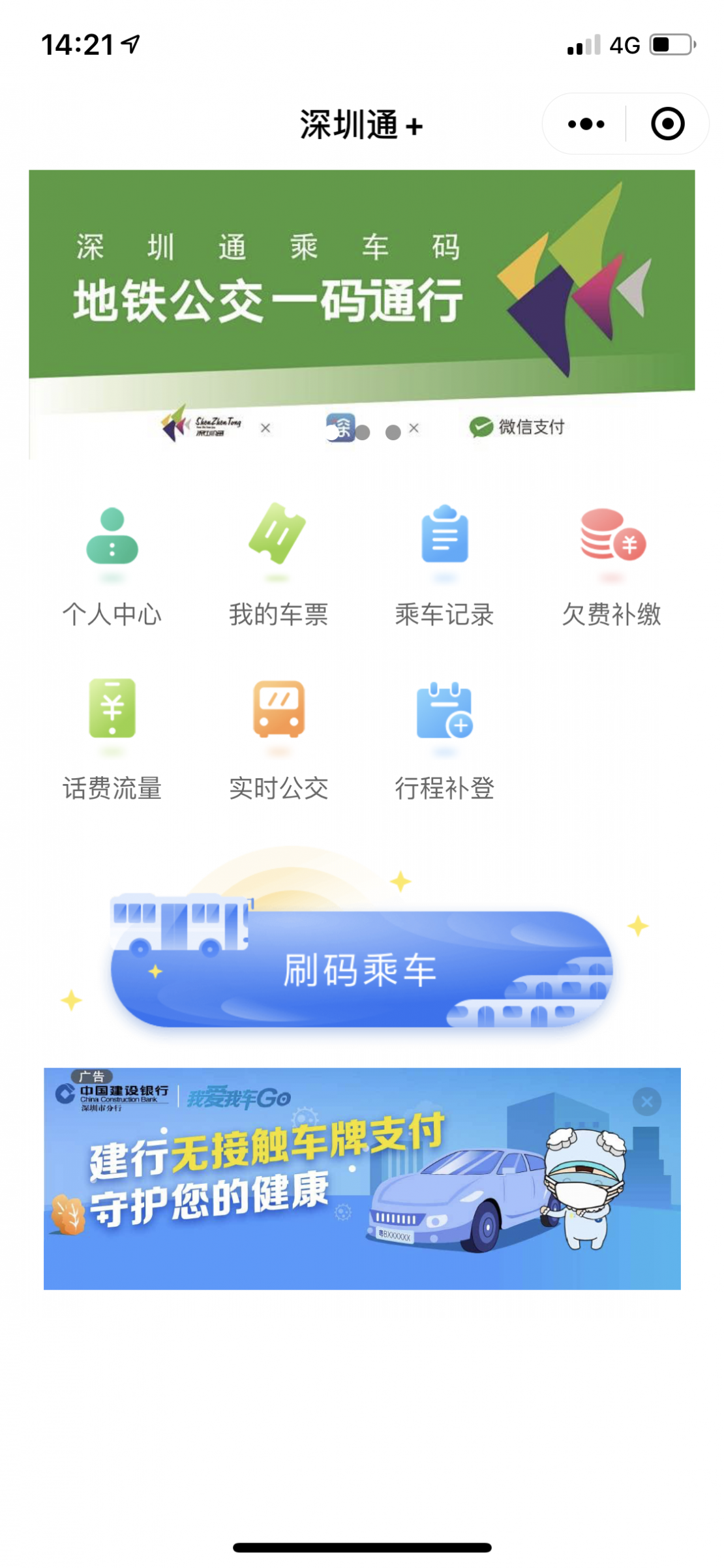
And the list of resources from where the application pulls its authorization, its services and interface – looks like this.

Applications are written using JavaScript, which allows you to integrate everything that you can integrate in a native application for a phone. The main disadvantage is the speed of functioning. This is determined both by the language of the application and the fact that the resources are in the cloud. That is, a full-fledged full-screen application as well as a game cannot be made in this way. But for simple applications (simple in terms of interface) – this is a panacea. For many reasons:
- no need to download and install anything – to use the application, you just need to add it to yourself in one click
- no authorization is required – everything is pulled from the user’s Wechat account
- no need to integrate a payment system – the built-in Wechat Pay is available for use
- all this easily connects with other Wechat services – you can make links to the application from the public account, and pull subscribers from the account into the application. And so on – between all Wechat services there is a possibility of 100% integration of one into another
Wechat payments
Well, everything is quite simple here – it is the ability to pay/receive money using a Wechat wallet integrated into the application. Since I’ve described payment functionality in details here, now we can skip this topic. It goes without saying that payments can be fully integrated into any of the above services
Communication with users
There are two options for organizing communication. The first is simple conversation. If you take a closer look at the interface of any public account, on the bottom left there will be a button that changes the menu of the public account into a message input line
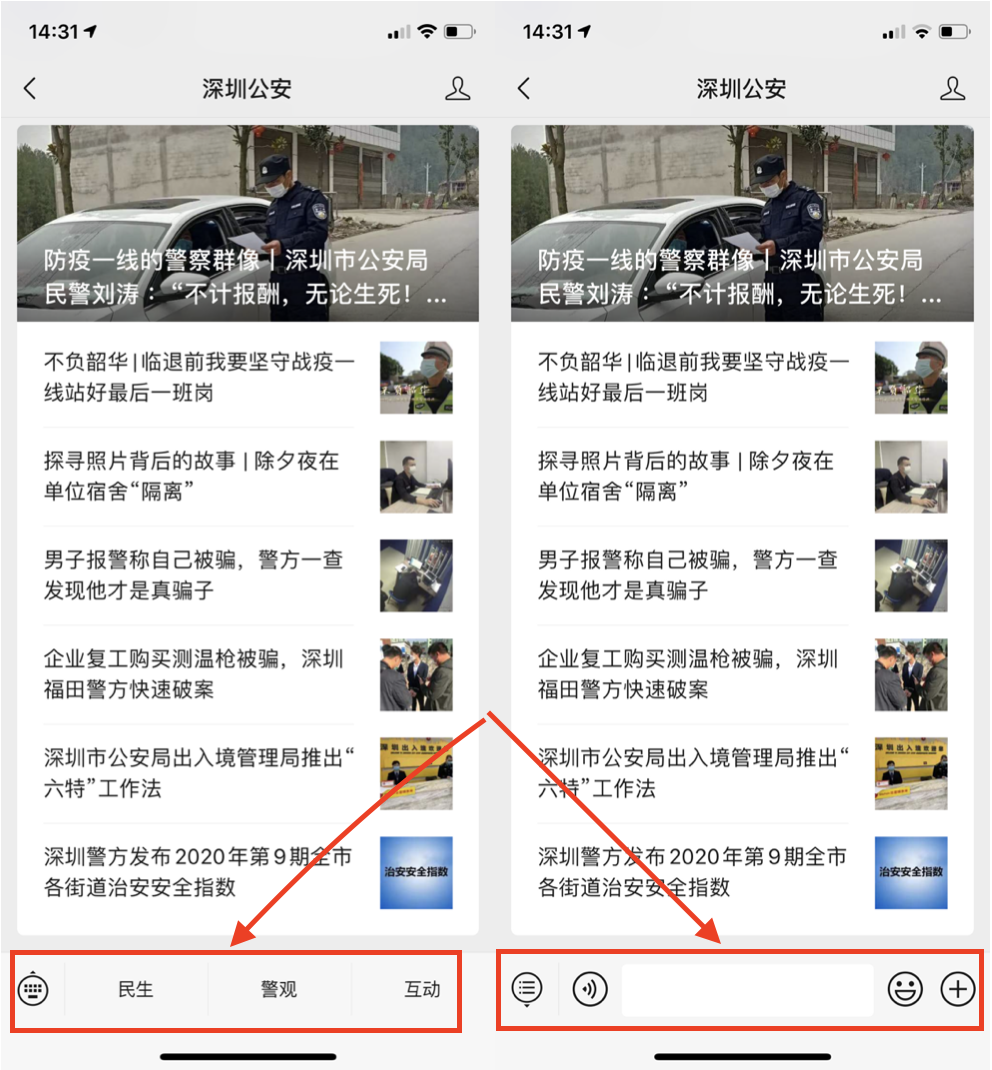
Messages sent here will be shown in the message interface of the admin panel.
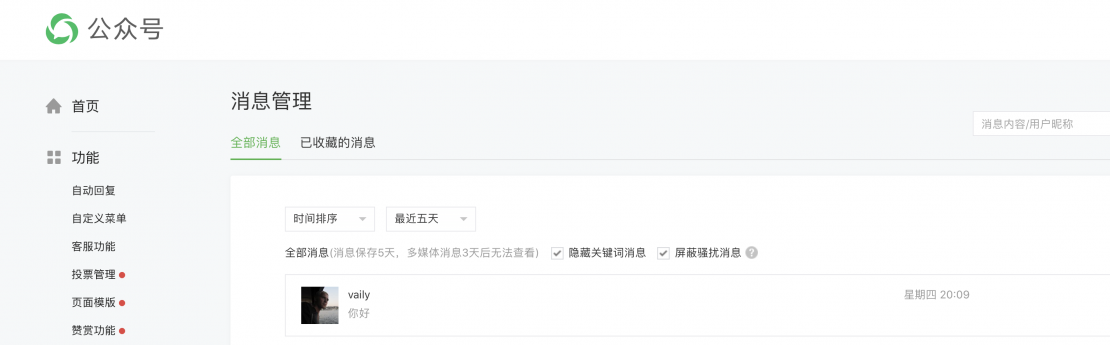
These can be answered, and the author of the answer will be the public account itself, rather than an individual person. But few people use this, since the interface is not particularly intended for this and it is, rather, an atavism from the past. Instead, it has auto-replies based on certain templates.
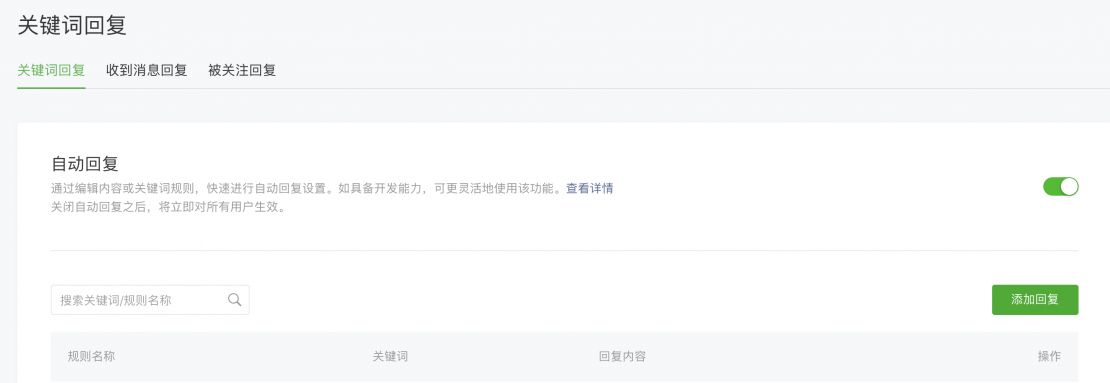
That is, everything is simple – you set a keyword in the very admin panel. If it is present in the user’s message, an automatic response is sent to them, which may include text, picture, sound or video. Likewise, you can configure responses to any message as well as welcome messages.
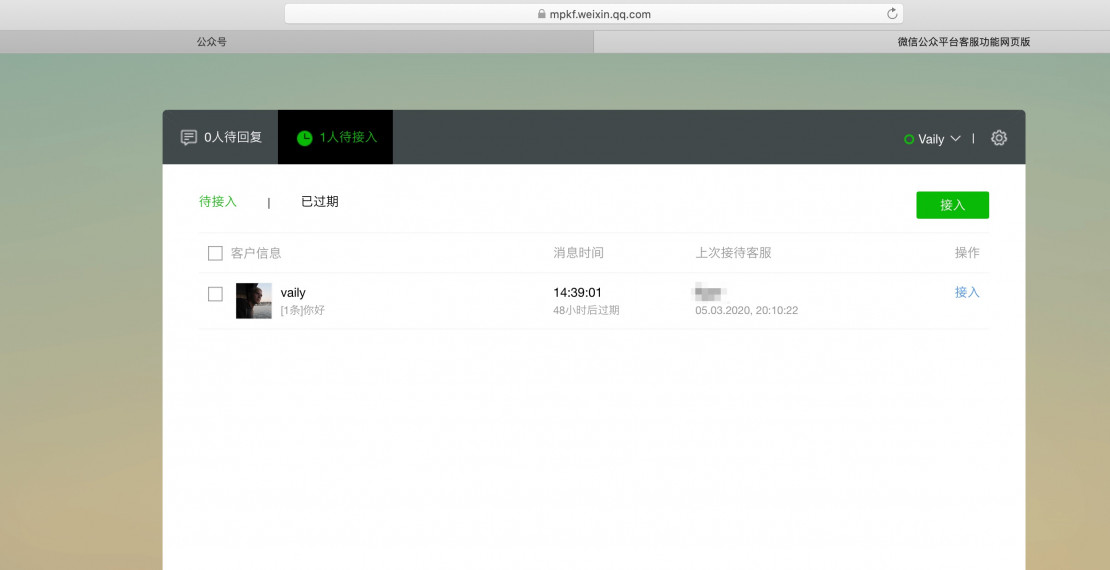
By contrast, for regular communication with customers, it is much better to use Wechat technical support. Everything is also very simple – activate this function, add an operator – and after login s/he gets into a full-fledged Support-system with the appointment of operators, waiting, fine-tuning, viewing communication logs, etc. All this is open to developers, you can set up integration with Zendesk and create tickets there when you communicate in Wechat and all that jazz.
Also, please bear in mind that everything described above is just the tip of the iceberg, configured using the GUI in the admin panel. Should you use the developer console and API, the possibilities for customization and functionality would grow by an order of magnitude.
Native applications
Accordingly, while on mp.weixin.qq.com we set up public accounts and widgets, it is on open.weixin.qq.com that we enable Wechat capabilities for native applications.
Wechat functionality for such applications can also be described endlessly. Starting with ordinary APIs for Oauth and payments (why force a client to register by filling out forms, if everything you need for an account can be pulled from Wechat. Why fuss with payments if everyone has a Wechat wallet).
But this is not the main value. The value is that both open and mp perfectly communicate with each other and can be used together with a single pass-through ID. The functionality in such cases depends only on the imagination and capabilities of the developer.
Let’s say, we release a game, which is hosted on the Tencent Android store. Technical support for the game is carried out through the above method. Links from the game lead to the public account of the game, where announcements of news and promotions are published, in-game payments pass through Wechat Pay, and sales of goods with gaming symbols is done by means of a widget. Delivery of the products and communication with customers go through the Wechat mini-shop. And so on.
Above all, everything is within the framework of one service and a pass-through ID. And given the popularity of Wechat – more often than not, other tools are simply not required.
Here, you can look at the list of the provided Wechat-services

Registration and use
In general, it’s fairly easy. You just need this little:
- your company’s documents – business license, permission to open a bank account, etc.
- power of attorney from the company to its employee for registration as a authorised person
- 300 yuan, which will need to be paid for account verification (something like a Webmoney certificate)
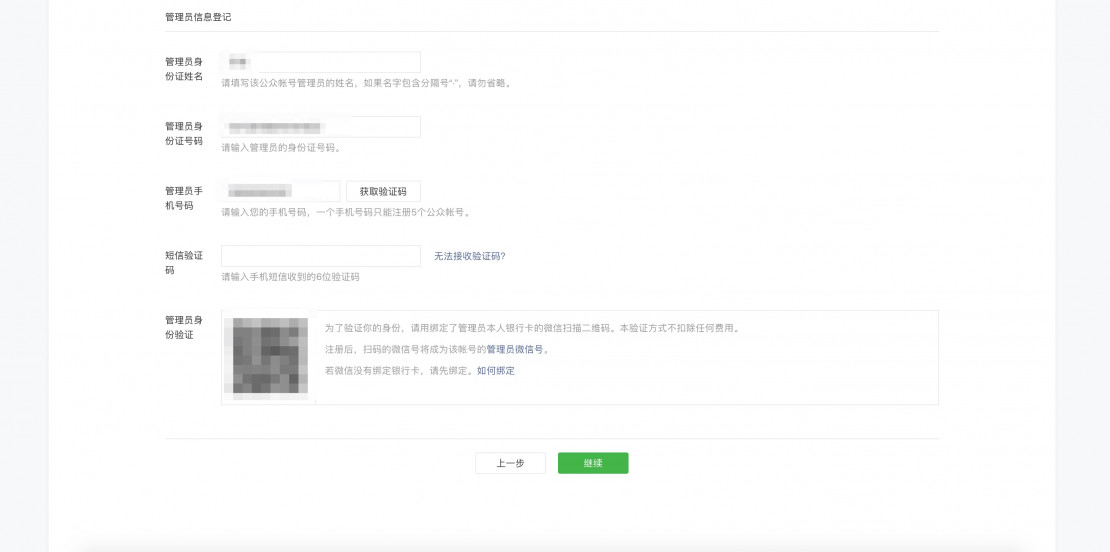
That’s it, now you can go to mp.weixin.qq.com, register by filling out simple forms, and then send an application for verification – and in 2-3 days you will have a full-fledged empty account, which will need to be filled with functionality.
To paraphrase “if a company is not on the Internet, it does not exist anywhere", it is safe to say “if a company does not use Wechat, it does not exist”.