Organizing automatic goods delivery in China
I have said time and again that the best process is an automated process.
It is common knowledge that online trade in China is the main element of buying and selling. Online retail sales have long exceeded similar offline sales, due to their convenience, speed and security. And one of the key elements of online trade is the delivery of goods from the warehouse to the end consumer.
There are a huge number of delivery services in China, but the undisputed leader is undoubtedly SF Express. In this article, we’re going to talk about how to make your interactions with SF as well as your shipments perfect. Here, ideal means automatic.
Well, what I mean is not half-way automation, when mini-programs like 网店管家 or dozens of similar ones are used, into which you need to type in the recipient’s address manually and print an inactive waybill, which the courier then activates by scanning the QR code on it, after which s/he will supposedly pay from personal Wechat. No, our goal is for human participation to be limited to one, maximum two clicks. So let’s get started.
If you are a seller on Taobao, Tmall and other B2C/C2C platforms, everything is a little simpler. There are closed proprietary solutions, like the very mini-programs on Taobao, which, to a greater or lesser extent, help to optimize the process. Alas, it often happens that a store on Taobao or Wechat does not meet the seller’s requirements – then you need to make your own application. We did just that, and here I offer a description of our specific path (which, nevertheless, is easy to scale or extrapolate to any other solution).
We chose Wechat mini-app as our selling platform. I wrote about what it is in a previous article. So, the mini-app has already been developed and is in the Wechat sandbox. When you begin to automate the dispatch of goods, of course, you need to start from the financial side – to automate payment for delivery. Accordingly:
Step one is to register an account on the 顺丰月结 platform. This is SF’s postpaid delivery platform with monthly settlement. It works on the principle of a credit card – after a company gets registered there, a certain monetary limit is assigned (after registration, it was set at 1400 yuan for us), you use it, credit money into the account again, and so on. Once a month you receive an invoice with “credited/spent”. The same as with credit cards – the longer you use it and pay without delays – the higher the limit you will have.
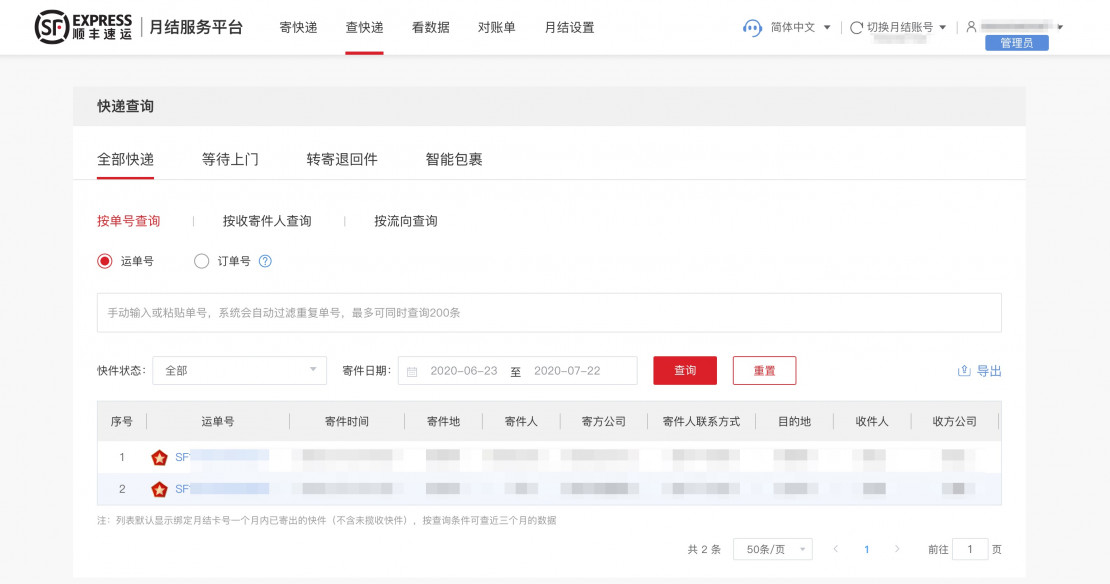
Well done. After this step, at least the warehouse workers will not have to pay for each specific delivery from their personal Wechat every time and then submit an expenses report. But there is still a long way to go and the next step is as follows:
Step two – connecting the SF Express API. To do this, we need to register on the 丰桥 platform – a platform for developers using the SF Express API. There are no special problems either, you register with the same data as in the previous step, and after registration you simply indicate the 月结卡号 number – after that the developer account will be completely ready for use.
After that, you connect the APIs you need – in most cases the following will be enough for you:
- creating an order – allows you to create a delivery order based on the data entered by the recipient
- cancelling an order – allows you to automatically cancel an order after it is cancelled by the buyer
- order tracking – allows you to get information about the location of the item to be delivered
- order result – allows you to get the result of the delivery
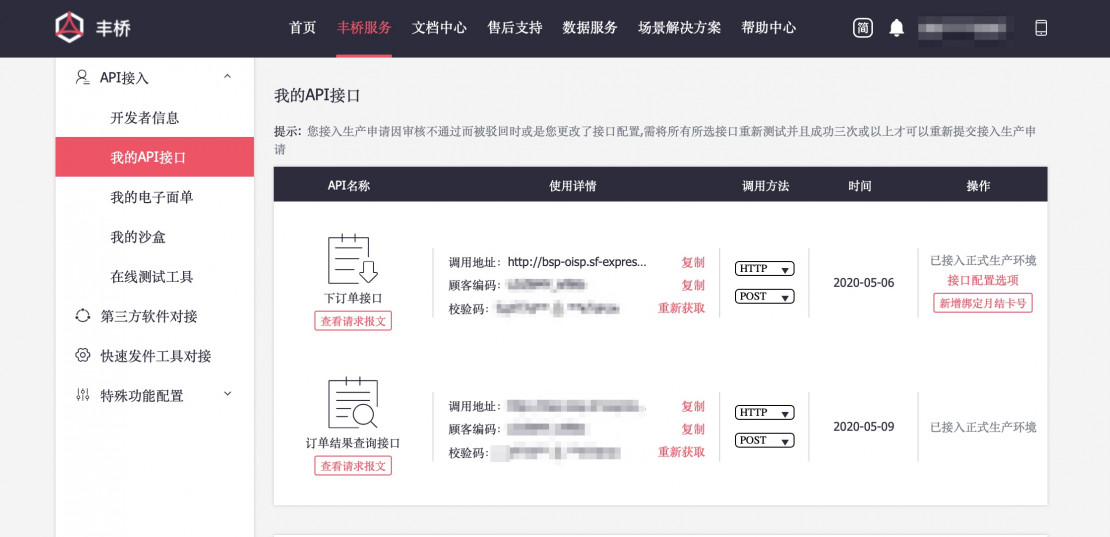
After that, it remains to add a couple of lines of code in the application – and after a user creates an order in the application – it automatically calls the SF order creation API and passes the delivery data to it. It would seem that everything is done – but no, you also need a waybill – otherwise the poor courier with a portable thermal printer will print several hundred waybills every day and glue them on each parcel. Respectively:
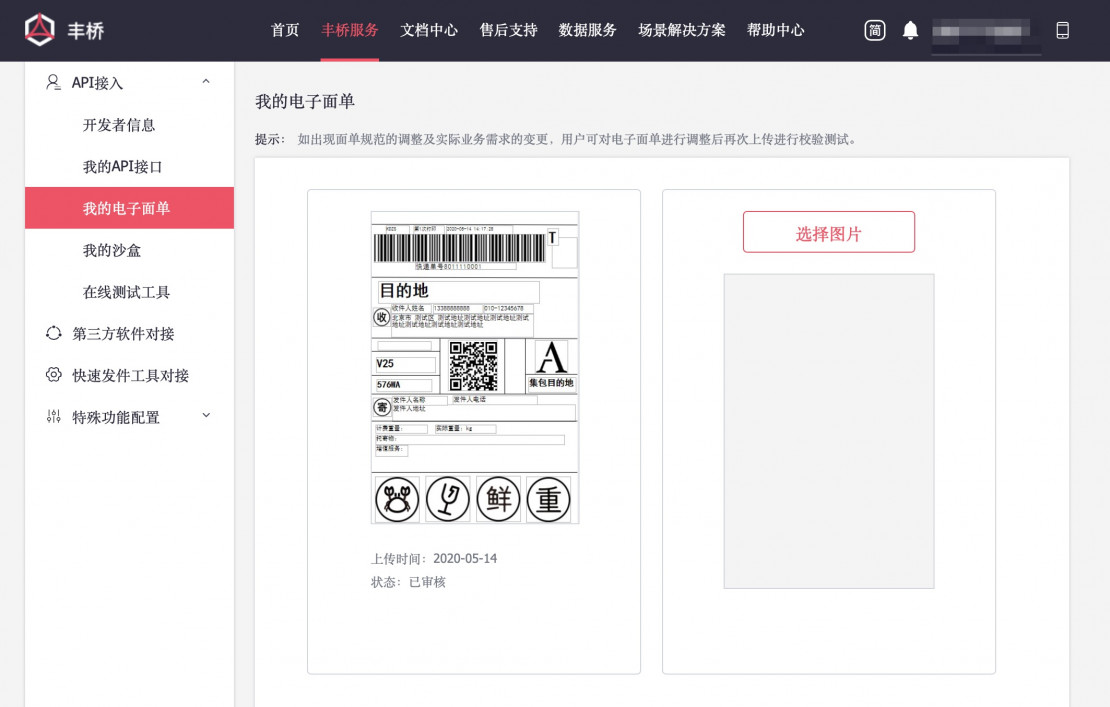
Step three – automating the printing of waybills. To do this, in the adjacent tab 我的电子面单 (my electronic waybills), you need to create a template for your own waybill. It is also quite simple – you need to select the size according to the guides, the required fields (barcode with the delivery number, activation QR code for the courier, special signs such as “heavy”, “fragile”, “fresh” and a gazillion more service designations), then send it for consideration – and if you haven’t forgotten anything, it will be approved for you. Of course, you can personalize it, add your logos, wishes, promotions, etc.
And finally, to make the job even easier, I advise you to purchase order management products from the 丰速 company. You can, of course, go by without it, but the installation process is extremely easy, and there are plenty of additional perks like sending SMS with delivery status. Moreover, the basic version is completely free of charge and you only need to pay for special wishes like this very SMS service.
Accordingly, we download their program 速打 – managing the printing of multiple waybills, 易宝箱 – a set of utilities for thermal printers and the 抓单 plug-in – intercepting orders from SF.
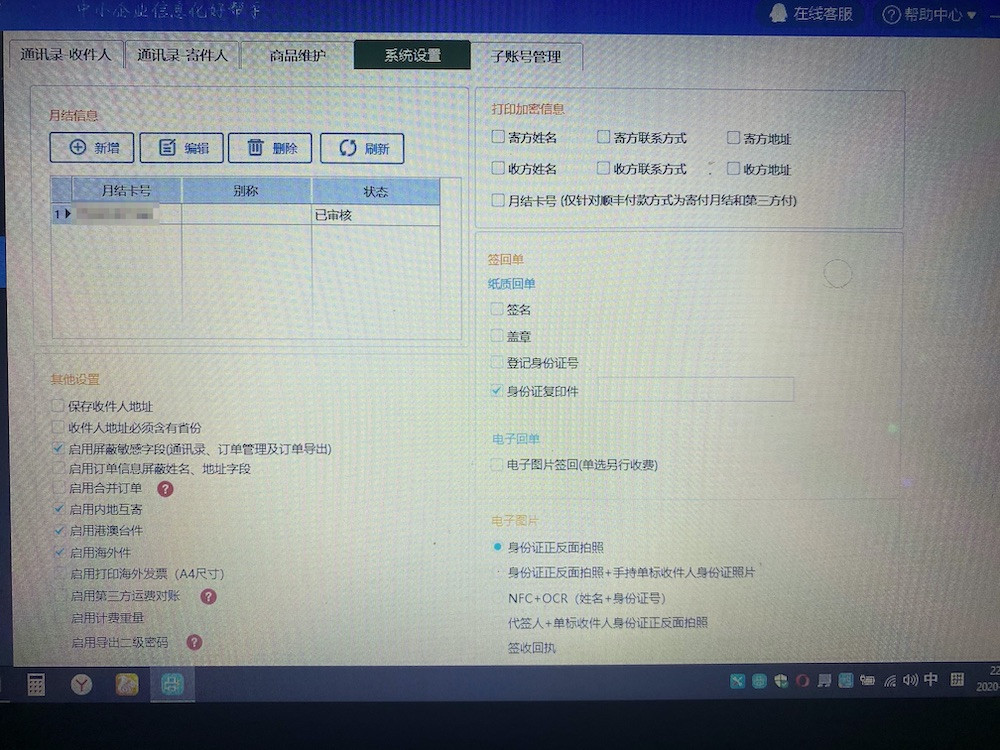
In essence, all you need to do there is to select the already installed thermal printer and link an account in 顺丰月结. Naturally, you should also choose the necessary settings – and here there is a tremendous number of them – starting from the fact that you can set the requirement “require the recipient to affix a stamp” and “require the recipient to take a photo of their ID” – to the automatic creation of requests for the return of the product (and, accordingly, the creation of a delivery order, where the sender and recipient addresses will be mutually interchanged) and up to two thousand checkmarks, which you will not necessarily need, but the fact of their presence still warms the soul.
In fact, that’s it. Orders are automatically accumulated throughout the day, and once a day, an hour before the arrival of the courier, the warehouse worker just needs to click on “抓单”, which will pull all orders from SF into the program and “打印”, which will send these waybills for printing on the printer by default. After that, it remains just to paste them on the parcels – and the coming courier will scan the QR code, thereby activating the order, and take the parcels with them.
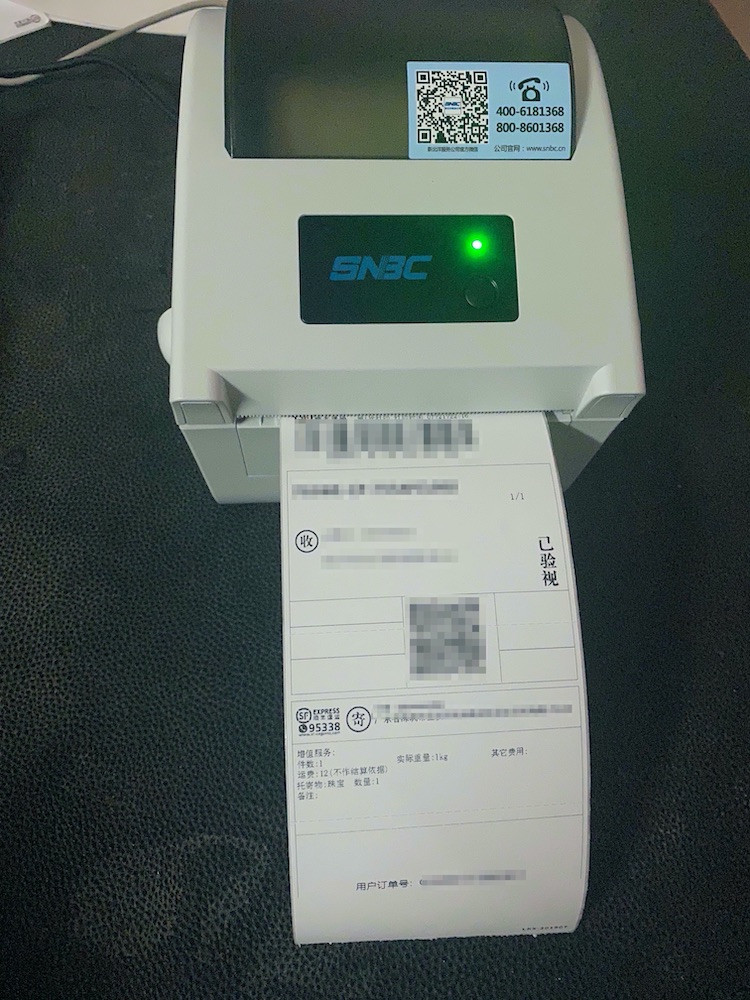
As you can see, we have met the promised requirement of two clicks. An article about an automated warehouse that works on the principle of 智能柜 is on its way, so please stay in touch.